

Free UTM Builder
Improve your marketing campaigns with ObserviX's free UTM builder. Add UTM parameters to your URLs in just a few clicks and track performance using ObserviX's advanced analytics.
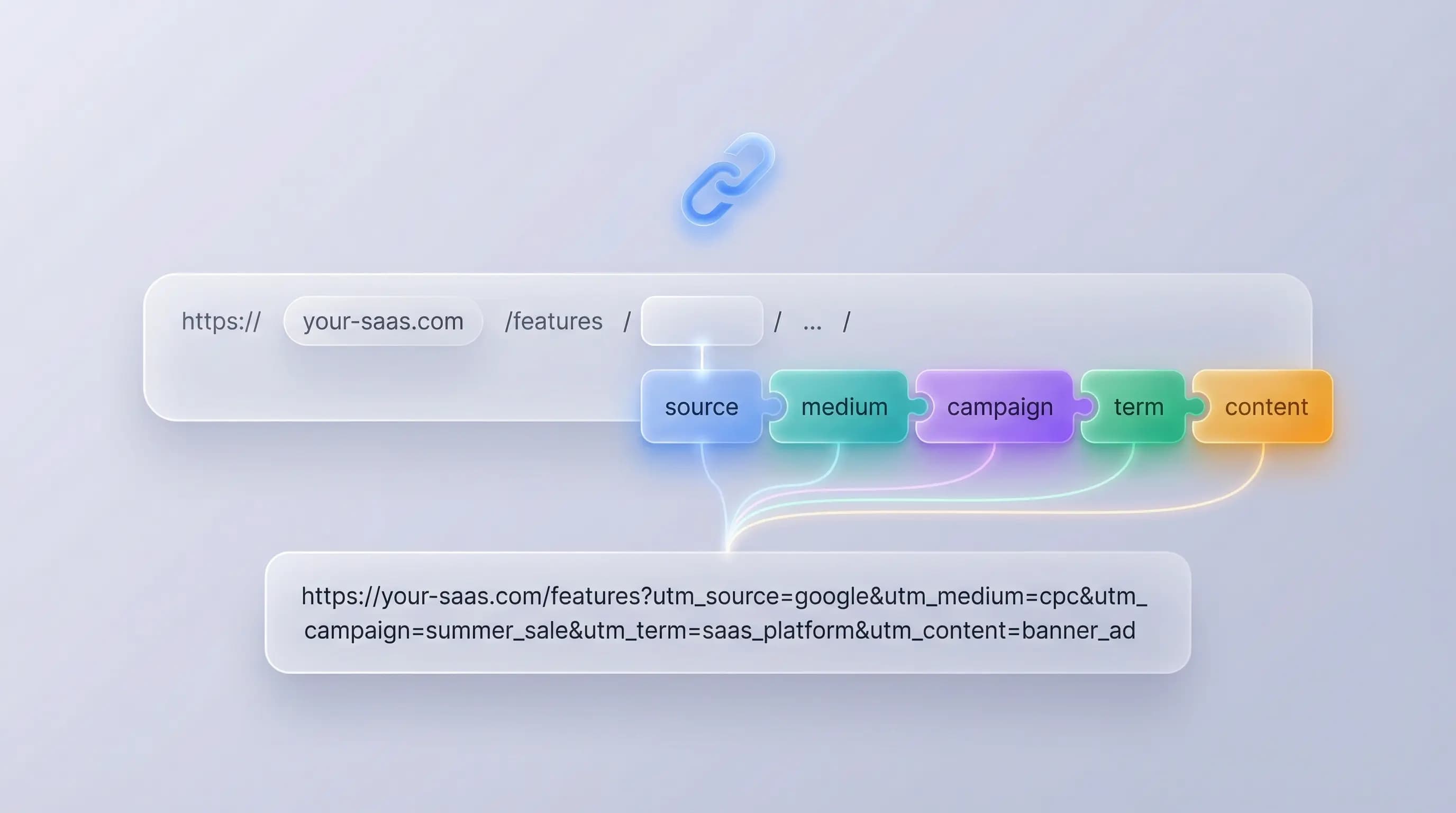
Base URL
The full website URL (e.g. https://www.example.com)
Required UTM Parameters
The referrer (e.g. google, newsletter, facebook)
Marketing medium (e.g. cpc, banner, email, social)
Product, promo code, or slogan (e.g. spring_sale, product_launch)
Optional Parameters
The ads campaign ID or unique identifier
Use to differentiate ads or content variations
Identify paid search keywords
Generated UTM Tagged URL
Fill in the required fields to generate your UTM-tagged URL.
How to Use the UTM Builder

Paste your link
Enter the URL you want to track, or simply paste it into the field.

Add UTM parameters
Provide the required UTM details such as source, medium, campaign, and other relevant parameters.

Get your tracking link
Click 'Copy URL' to get your tracking URL and start using it in your marketing campaigns.
UTM Parameters Overview
Understanding UTM parameters is essential for accurate campaign tracking. Here's a comprehensive overview of all available parameters.
Best Practices
- •Use lowercase letters and underscores for consistency
- •Keep parameter values short and descriptive
- •Establish naming conventions across your team for better reporting
- •Document your UTM strategy to maintain consistency
Frequently Asked Questions
UTM stands for Urchin Tracking Module. These parameters were originally developed by Urchin Software Corporation, which was acquired by Google in 2005. UTM parameters are added to URLs to track the effectiveness of marketing campaigns across different traffic sources and platforms.
Yes, the ObserviX UTM builder is completely free to use. You can generate as many UTM-tagged URLs as you need without any limitations. No signup or registration is required to use the tool.
Creating a UTM is simple: 1) Enter your destination URL, 2) Fill in the required parameters (source, medium, and campaign name), 3) Optionally add campaign ID, content, or term parameters, 4) Copy the generated UTM-tagged URL. The tool automatically formats and validates your parameters.
UTMs are used to track the performance of marketing campaigns and understand where your traffic is coming from. They help marketers attribute conversions to specific campaigns, identify which channels drive the most valuable traffic, and make data-driven decisions about marketing spend and strategy.
UTM links are commonly used in email marketing campaigns, social media posts, paid advertising (Google Ads, Facebook Ads), affiliate marketing, influencer partnerships, QR codes, offline marketing materials, newsletter campaigns, and any external links where you want to track the traffic source and campaign performance.
The five standard UTM parameters are: utm_source (identifies the source like 'google' or 'newsletter'), utm_medium (identifies the marketing medium like 'email' or 'cpc'), utm_campaign (identifies the specific campaign name), utm_term (identifies paid search keywords), and utm_content (differentiates similar content or links in the same ad).
UTM links provide granular tracking data that helps marketers measure ROI, understand customer journeys, optimize campaigns, allocate budget effectively, and prove marketing value. They enable accurate attribution in analytics platforms like Google Analytics, making it possible to see exactly which campaigns drive conversions and revenue.
No, only three UTM parameters are required: utm_source, utm_medium, and utm_campaign. The utm_term and utm_content parameters are optional and typically used for more granular tracking in paid search campaigns and A/B testing scenarios. Campaign ID (utm_id) is also optional but useful for connecting to external campaign management systems.
No, UTM parameters do not negatively impact SEO. Search engines treat URLs with UTM parameters the same as the base URL. However, it's best practice to use canonical tags to indicate the preferred version of the page and avoid creating duplicate content issues. UTM parameters are ignored by search engine crawlers for indexing purposes.
You can track UTM links using analytics platforms like Google Analytics, ObserviX, or other marketing analytics tools. These platforms automatically capture UTM parameters and organize traffic by source, medium, and campaign. ObserviX provides advanced attribution analytics to help you understand the full customer journey and campaign performance across all touchpoints.
Ask us anything
Stop guessing. Start knowing. Take control of your marketing today.
Start your 14-day free trial and make data-driven decisions
Start Free Trial