

Stop Guessing Which Marketing Works. Know Exactly What Drives Revenue.
Multi-touch attribution that connects every ad click, email open, and organic visit to actual revenue. See which channels deserve credit, which waste budget, and where to invest next. Six attribution models including AI-driven. No spreadsheets. No guesswork.
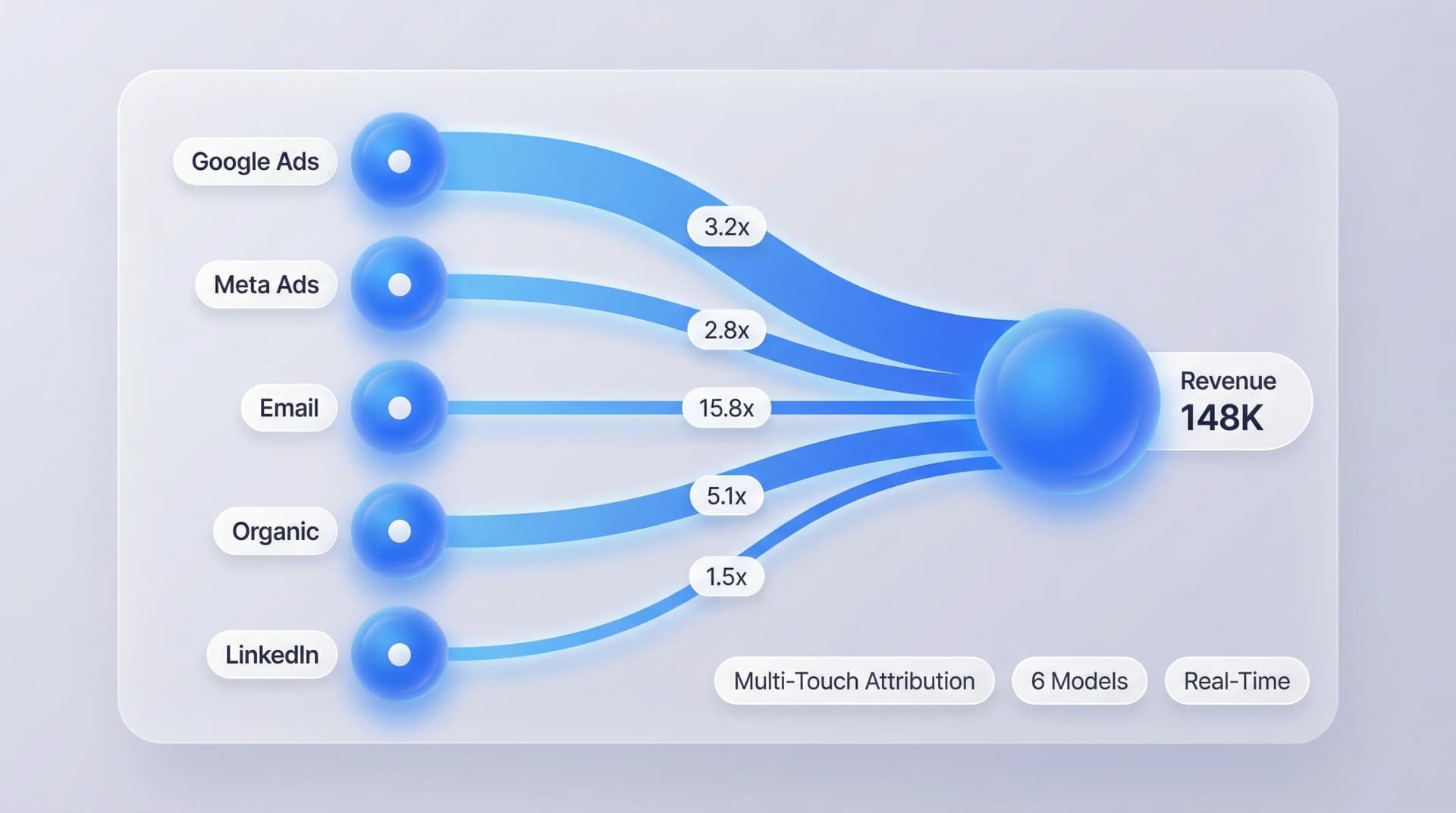
Attribution that connects marketing spend to business revenue
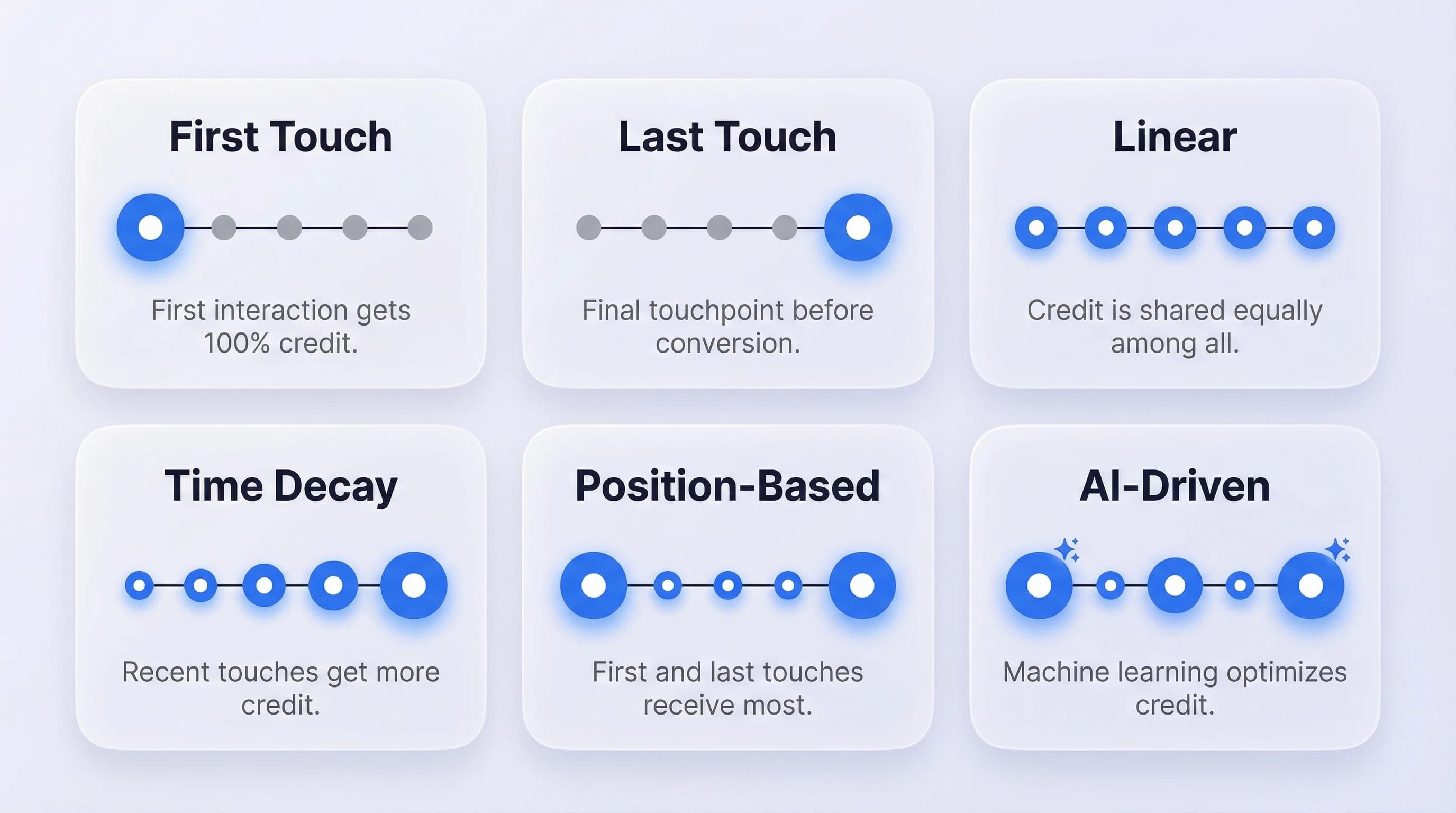
First-touch, last-touch, linear, time-decay, position-based, and AI-driven
Every conversion attributed to the marketing channels that drove it
Average ROAS improvement after switching to multi-touch attribution
Attribution data updates as conversions happen — no 48-hour delays
Six Attribution Models — From Simple to AI-Driven
Not every business needs the same attribution model. ObserviX gives you six to choose from — and lets you compare them side by side. First-touch shows which channels bring new visitors. Last-touch shows which channels close deals. Linear distributes credit equally across every touchpoint. Time-decay gives more weight to interactions closer to conversion. Position-based credits the first and last touch most, with the rest shared across the middle. And AI-driven uses machine learning to dynamically assign credit based on your actual conversion patterns — no manual configuration required. Switch between models in one click. Compare how each model values your channels. Find the one that matches your business reality.
See Exactly Which Channels Drive Revenue — and Which Don't
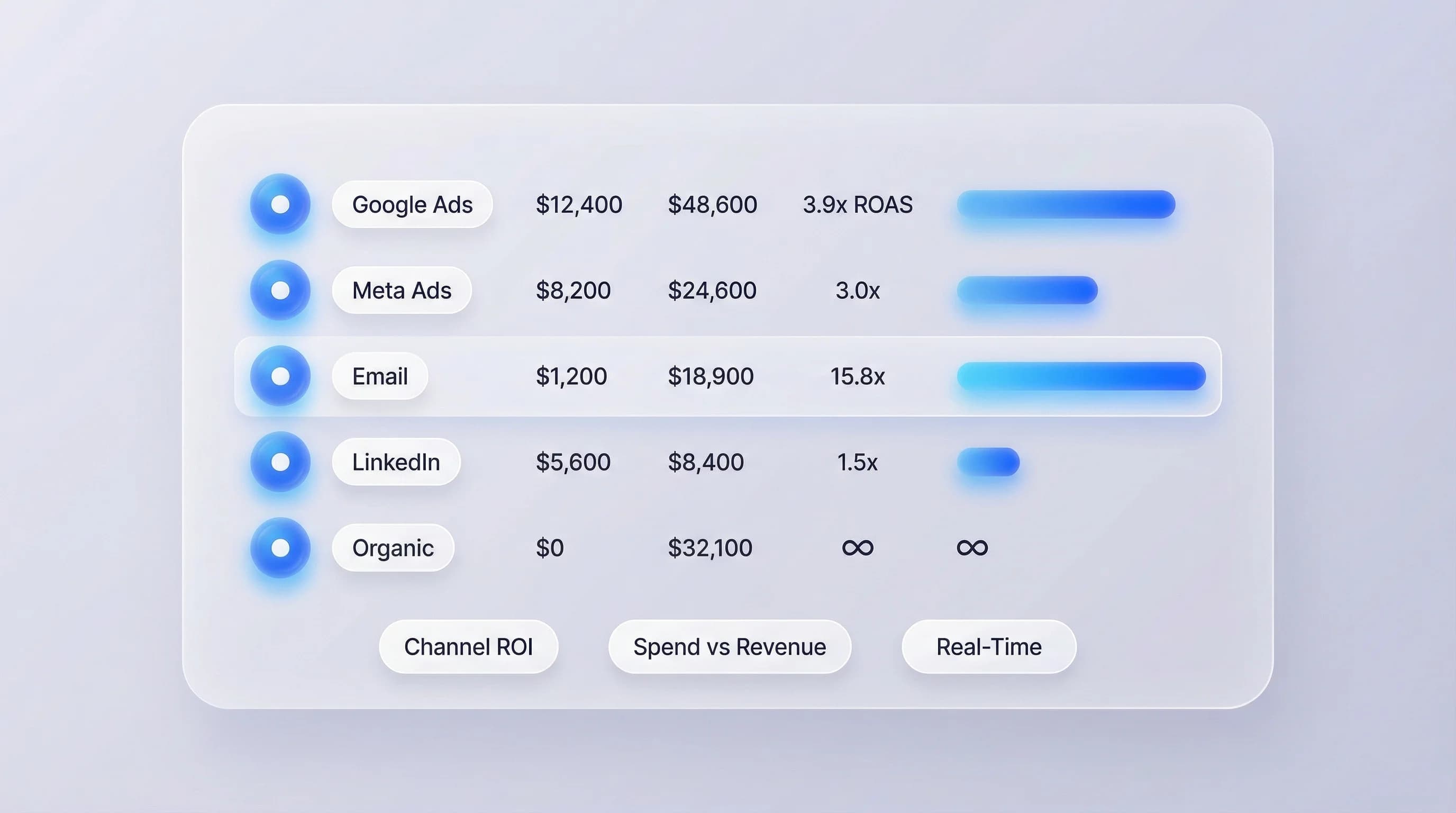
Stop looking at vanity metrics. ObserviX ties every marketing channel directly to revenue. See the actual ROAS for Google Ads, Meta, Email, LinkedIn, Organic, and every other channel in your mix — side by side. Drill into any channel to see spend versus revenue, cost per acquisition, and conversion rate. Identify the channel that generates the most revenue per dollar spent. Spot the channel that's eating budget with nothing to show for it. Compare performance across time periods to see which channels are improving and which are declining. Revenue attribution updates in real time, so you can act on today's data — not last month's.
Optimize Your Budget With Data, Not Gut Feelings
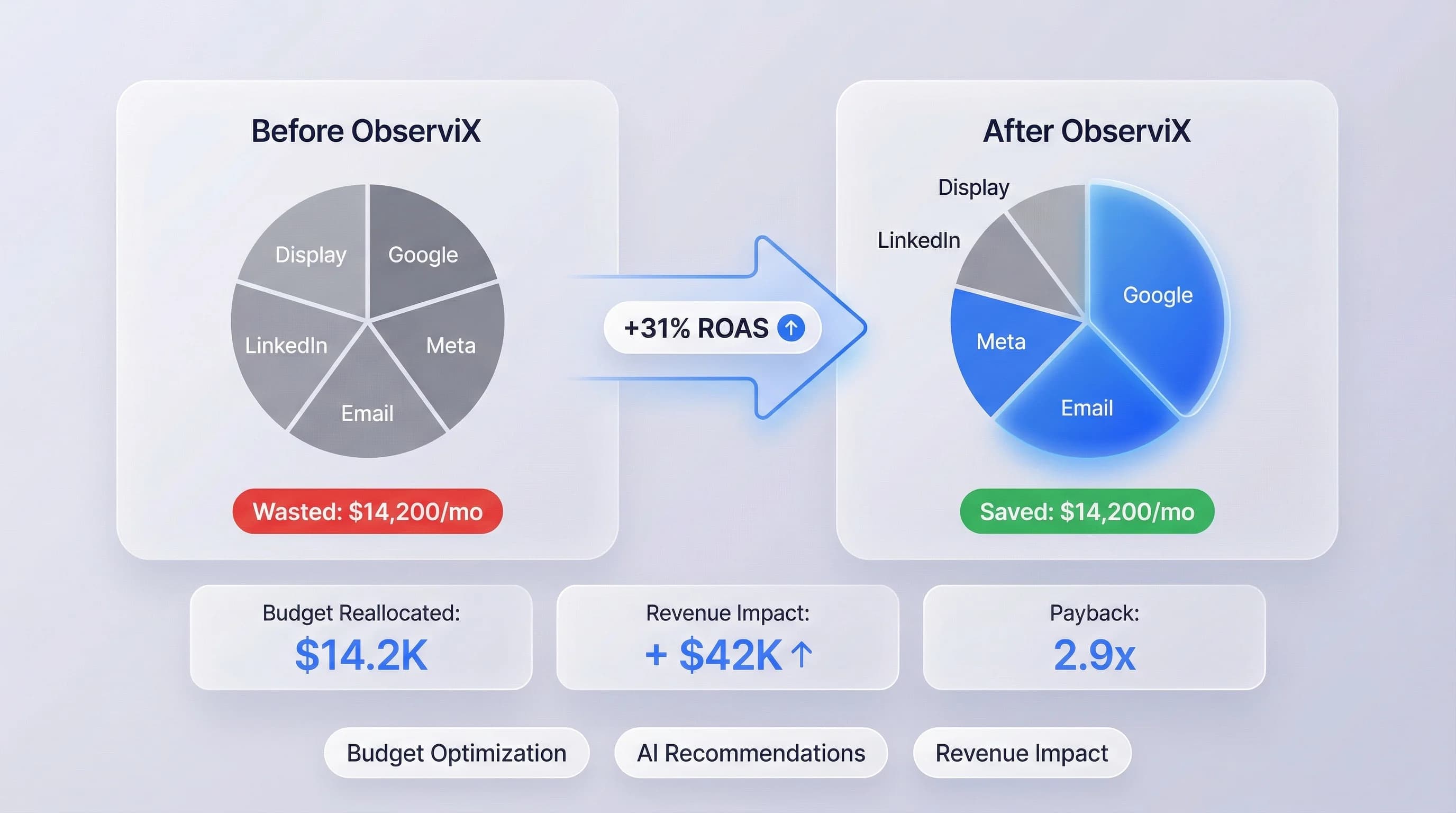
Attribution data tells you where to shift budget for maximum impact. ObserviX shows you exactly how much each channel contributes to revenue relative to spend. See which channels are over-invested — where you're spending more but getting diminishing returns. See which channels are under-invested — where a small budget increase could unlock significant revenue. The budget optimization view shows before-and-after projections: what happens if you shift $5K from Display to Email? What's the projected ROAS impact of increasing Google Ads spend by 20%? Make budget decisions backed by attribution data instead of last year's plan.
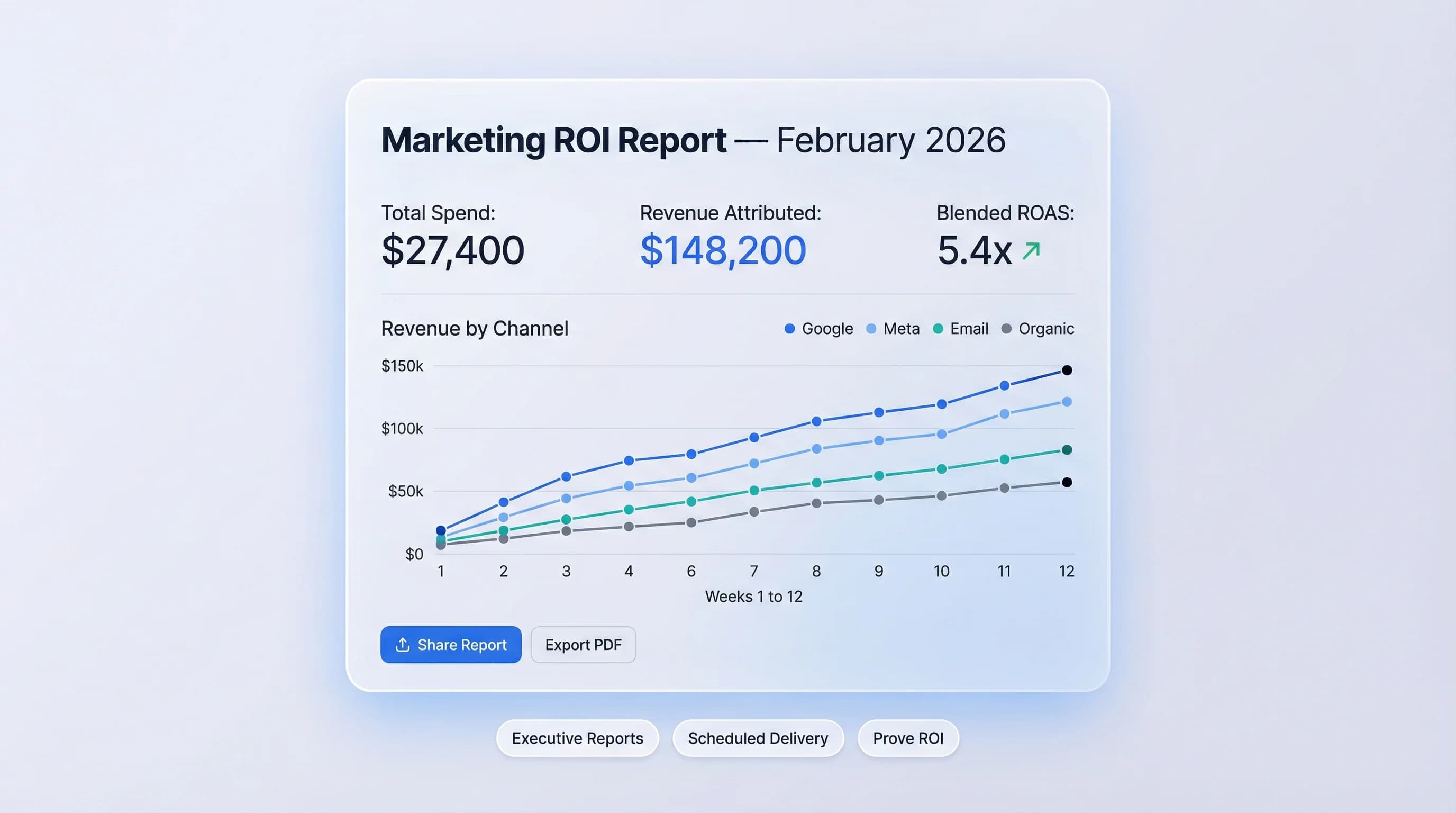
Prove Marketing ROI to Leadership — With One Report
Attribution solves the "prove it" problem. ObserviX generates executive-ready reports that show total marketing spend, total attributed revenue, blended ROAS, and revenue by channel — all on one page. Share reports with your CEO, CFO, or board with a single link. Schedule weekly or monthly reports delivered automatically. Every number ties back to actual conversions, not estimated models or platform-reported metrics that double-count. When leadership asks "is marketing working?" — you have the answer in 30 seconds. Export to PDF, share via link, or present directly from the dashboard.
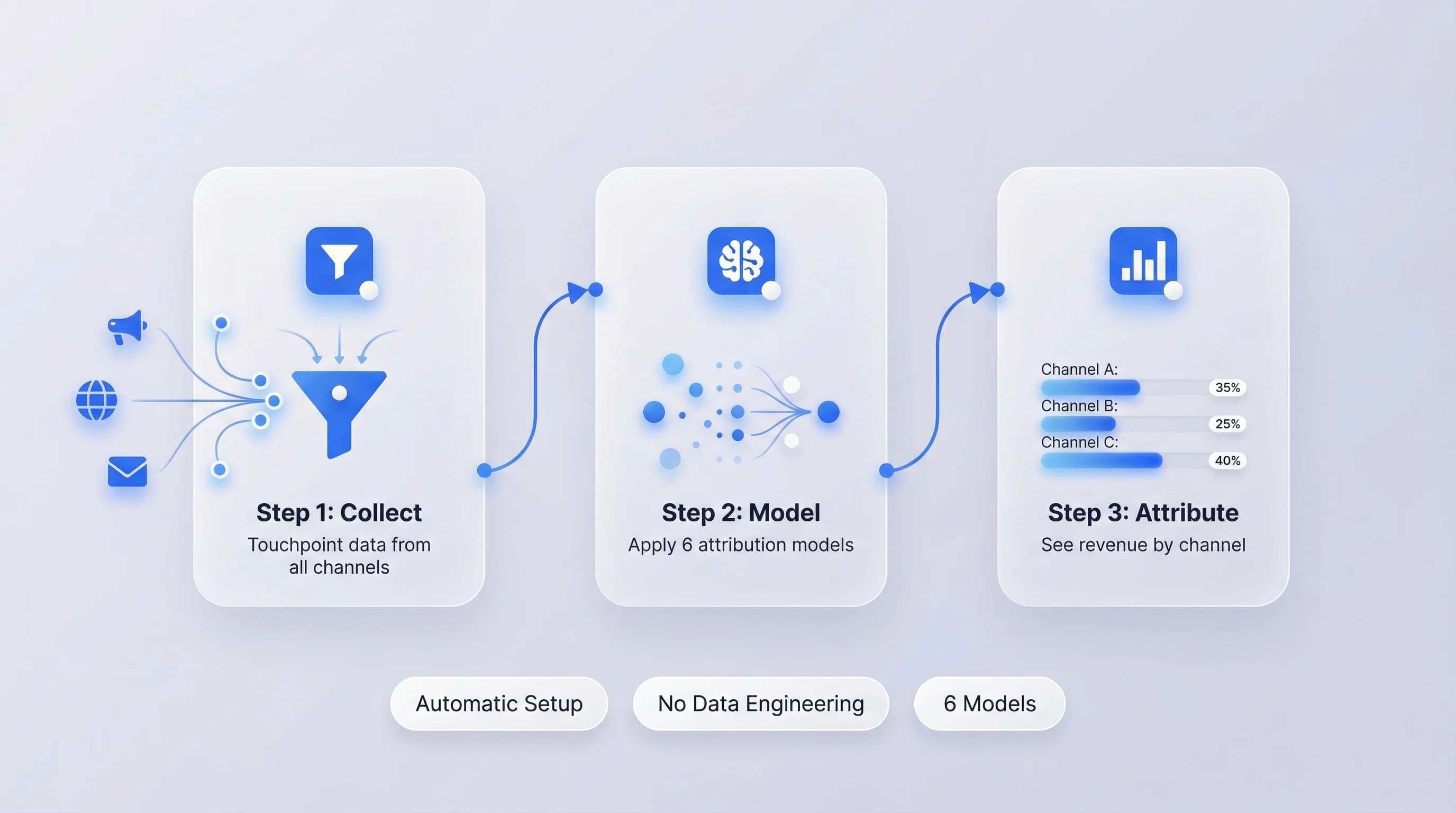
Three steps from raw data to revenue attribution.
ObserviX Attribution works automatically with data from your ObserviX Pixel and Web Analytics. Step one: the Pixel collects touchpoint data from every visitor across all channels — ad clicks, organic visits, email opens, referral links. Step two: ObserviX applies your chosen attribution model (or all six) to distribute conversion credit across touchpoints. Step three: see revenue attributed to each channel, campaign, and ad in a real-time dashboard. No data engineering required. No CSV uploads. No manual tagging beyond standard UTMs. If you're already running the ObserviX Pixel, attribution starts working immediately.
- 1
Collect touchpoint data automatically
The ObserviX Pixel captures every visitor interaction across all channels — ad clicks, organic visits, email opens, and referral links — with full UTM context.
- 2
Apply your attribution model
ObserviX applies your chosen model — or all six simultaneously — to distribute conversion credit across the touchpoints that led to each sale.
- 3
See revenue attributed to every channel
Your real-time attribution dashboard shows ROAS, spend versus revenue, and conversion credit by channel. No data engineering required.
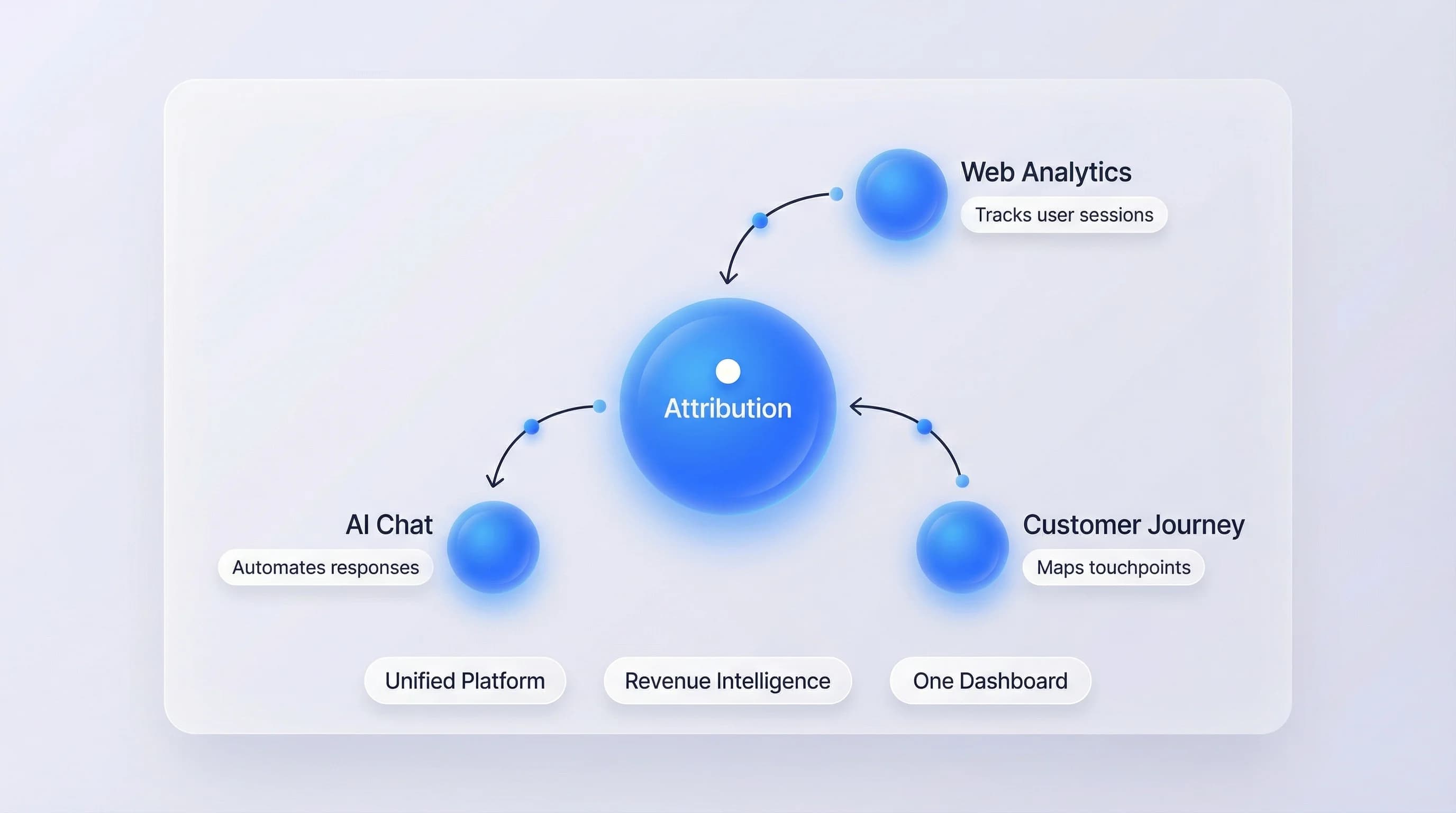
From attribution data to strategic decisions
Attribution tells you which channels drive revenue. Connect it to the full ObserviX platform and attribution becomes the foundation for every marketing decision — from budget allocation to campaign optimization.
"We were spending $28K a month on Meta ads because last-click attribution made it look like our best channel. ObserviX multi-touch showed us that Email was actually driving 3x more revenue per dollar. We shifted $12K from Meta to Email and our overall ROAS went from 2.8x to 4.1x in six weeks. That's the kind of insight that pays for the platform in one month."

Rachel Simmons
Director of Marketing, E-Commerce Brand
Frequently asked questions
Multi-touch attribution distributes conversion credit across all the marketing touchpoints a customer interacted with before converting — not just the first or last one. If a customer clicked a Google ad, read a blog post, opened an email, and then converted through a retargeting ad, multi-touch attribution assigns a share of the revenue to each of those interactions based on the model you choose.
Six models: First-touch (all credit to the first interaction), Last-touch (all credit to the final interaction), Linear (equal credit to all touchpoints), Time-decay (more credit to touchpoints closer to conversion), Position-based (40% to first, 40% to last, 20% split across middle), and AI-driven (machine learning assigns credit based on your actual conversion data patterns).
Three key differences. First, ObserviX attribution uses first-party data only — no reliance on third-party cookies that are being deprecated. Second, ObserviX connects attribution directly to actual revenue, not just conversion counts. Third, the AI-driven model learns from your specific data instead of applying a generic algorithm. Your attribution data also stays on your infrastructure, not Google's.
The AI model analyzes your historical conversion data to identify which touchpoint patterns most frequently lead to conversions. It dynamically adjusts credit weights based on channel, timing, sequence, and conversion type. Unlike rule-based models, it adapts as your marketing mix changes. The model requires at least 30 days of conversion data to start producing reliable results.
Yes. Select any two or more models and see how they value each channel differently. This is particularly useful for understanding which channels get over- or under-credited by simpler models like last-touch. Many teams use the comparison view to build a case for switching from last-click to multi-touch attribution.
Yes. ObserviX supports offline conversion syncing from CRM systems like HubSpot and Salesforce. When a lead that was tracked online converts to a sale offline, the conversion and revenue data flows back into the attribution model and credits the original marketing touchpoints.
Attribution calculations run in real time. As soon as a conversion is recorded by the Pixel, the attribution model processes the visitor's touchpoint history and credits the relevant channels. You'll see attribution data within seconds of a conversion event.
Yes. The Pixel captures the touchpoint data that attribution models need to function — ad clicks, page views, UTM parameters, referral sources, and conversion events. Without the Pixel, there's no touchpoint history to attribute. The Pixel installs in under 5 minutes.
Stop guessing. Start knowing. Take control of your marketing today.
Start your 14-day free trial and make data-driven decisions